Context
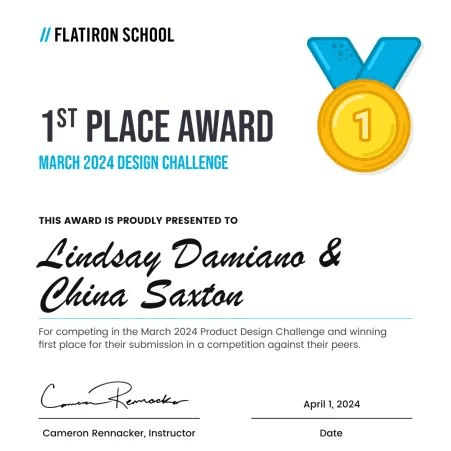
Bootcamp Challenge Winner.
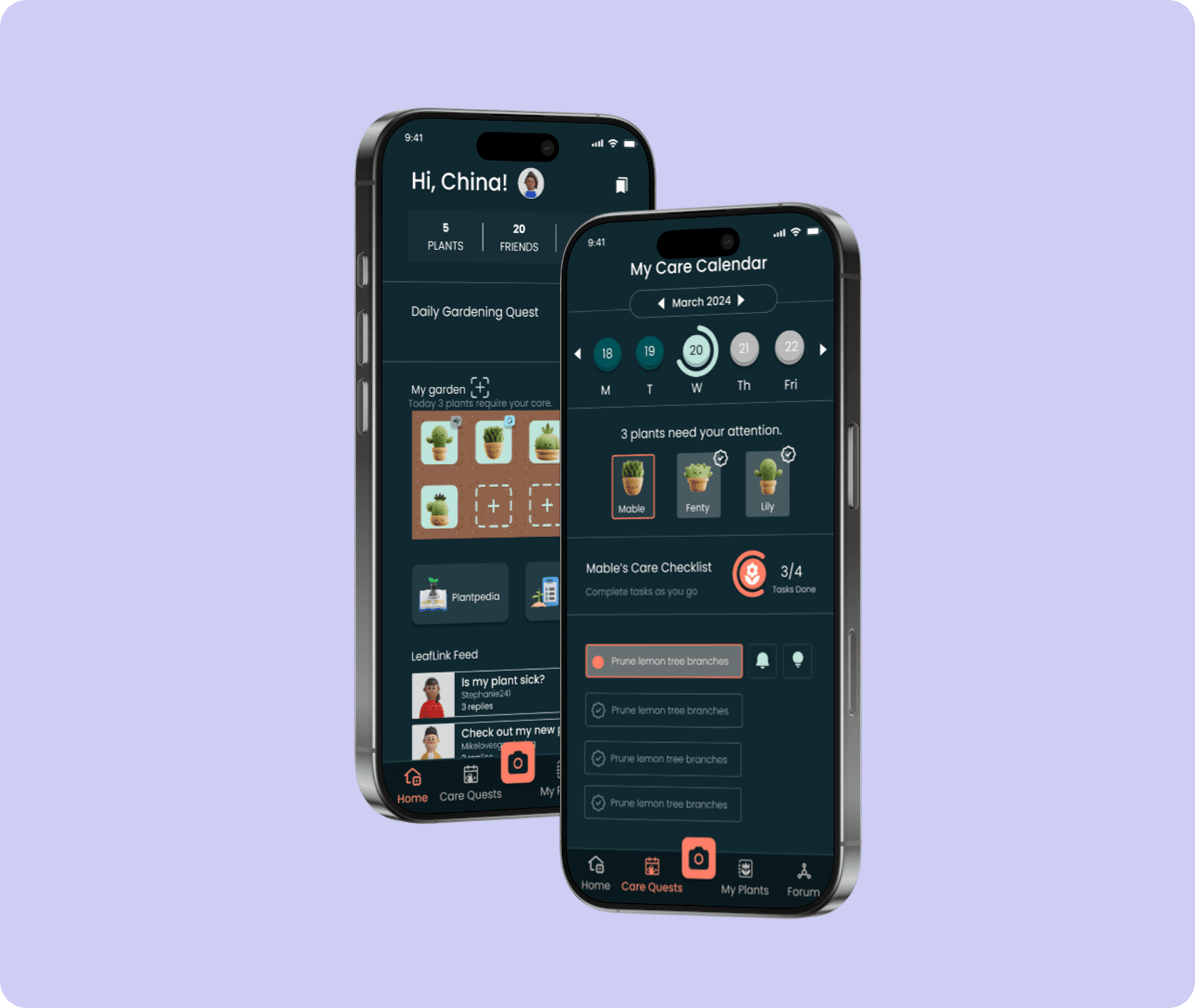
As part of a Flatiron School bootcamp challenge to design a mobile gardening assistant, I worked closely with a fellow designer to bring our concept to life.
Together, we won the challenge with a gamified virtual gardening app that turns routine plant care into a fun and engaging experience.
UX Process
Learning Gardening 101.
In what ways are gardeners using mobile tools to care for their plants, and what are their experiences with them?
The design process began with a competitive audit of 8 leading plant care apps to gain a deeper understanding of the market and identify opportunities for innovation.
By focusing our review mining on common complaints, valued features, and recurring issues, we gathered valuable insights that shaped our design approach.
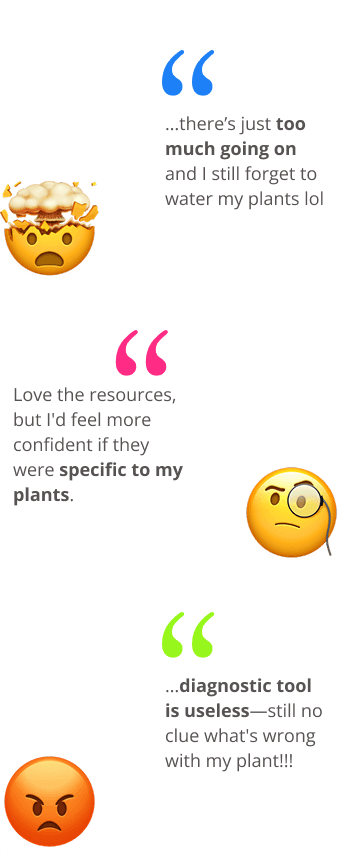
Current apps make gardeners feel overwhelmed by too many features and underwhelmed by support for tricky plants.
We found that gardening apps often try to address too many issues, which can overwhelm users who just want simple reminders for everyday tasks like watering.
On the flip side, users tend to struggle with more complex plant care challenges, such as dealing with sick plants or changes in their condition.
User Research
Plants Are Fun… Until You Have to Water Them.
We learned what gardeners disliked about existing solutions and shifted focus to understand their actual needs.
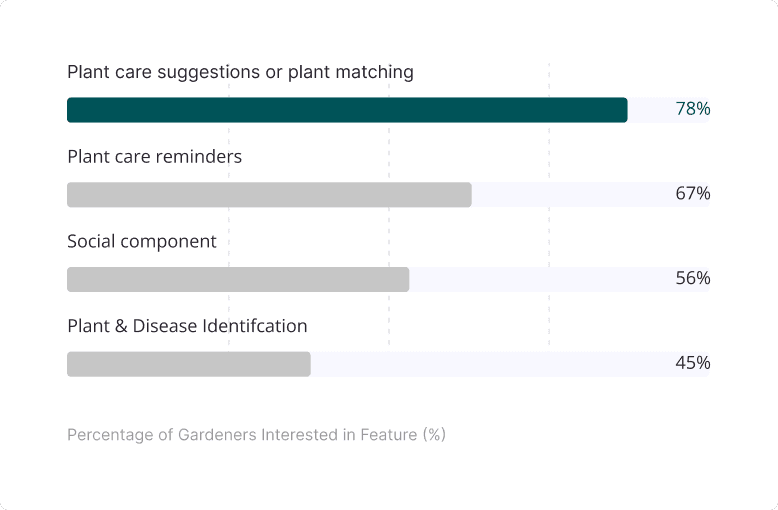
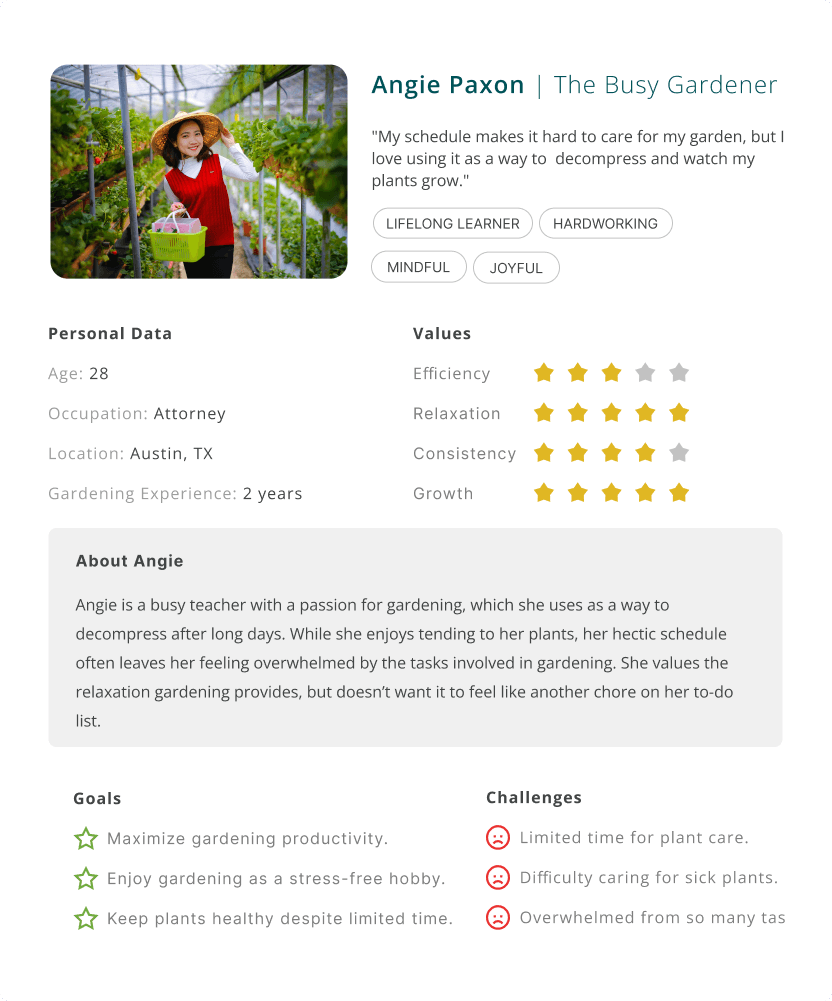
Through surveys and interviews with 30 gardeners of varying experience levels, we identified the top features they wanted and their key pain points.
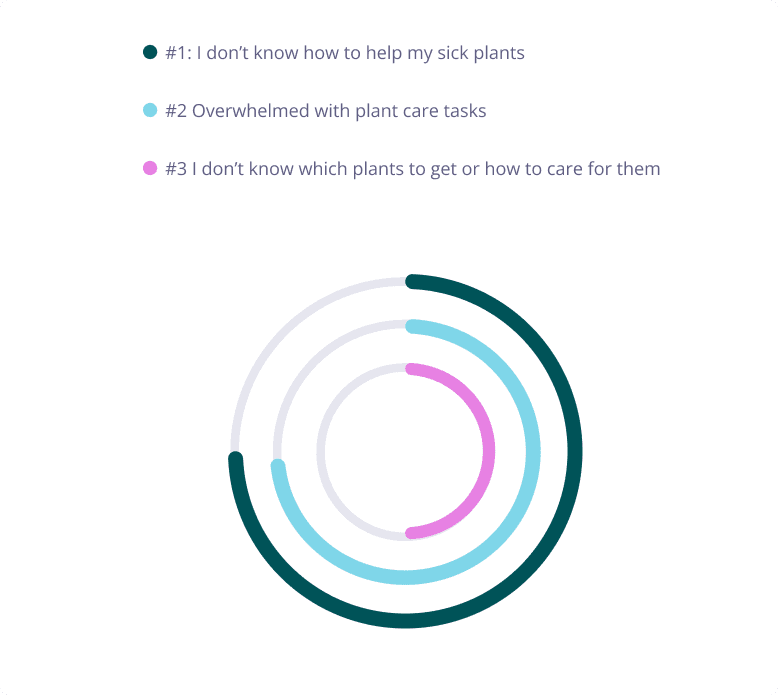
Top 3 Pain Points for Gardeners
Top 4 Features Gardeners Want to See
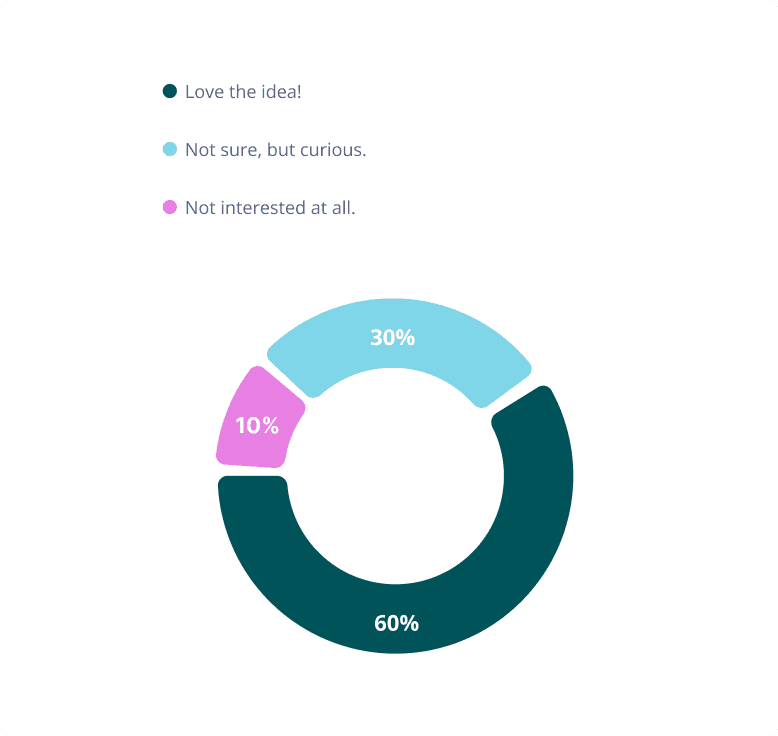
Another key insight we sought was how users would feel about the concept of gamification.
90% of our participants expressed a positive response or openness to the idea of gamifiying gardening.
Gardener's Interest in Gamification of Plant Care
From UX to UI
Sketch, Sprint, Combine.
To boost creativity and infuse gamification into our concept, we used the Crazy 8’s technique to think outside the box.
This approach helped us rapidly generate ideas and explore different possibilities for the app’s design. At times, we even merged elements from our individual sketches to create stronger, more refined versions of the screens.
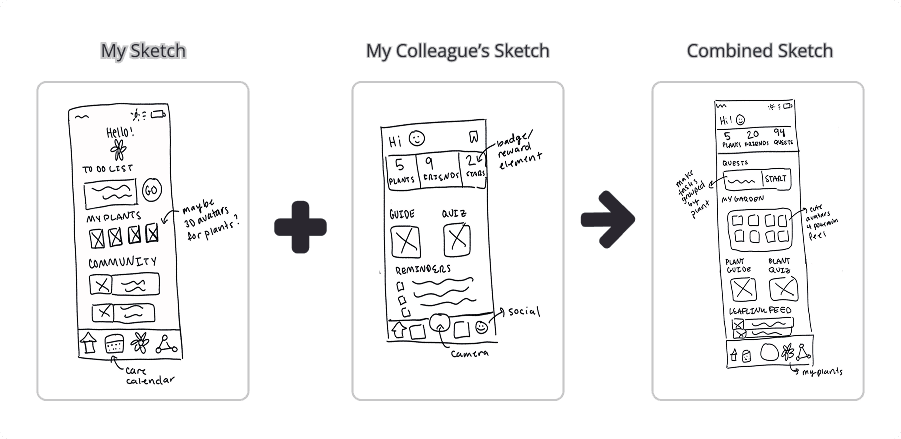
After defining key screens, we wireframed and tested the prototype internally and with friends before moving onto high-fidelity designs.

The Solution
Bringing Fun into Gardening.
Our high-fidelity screens are broken down to showcase how they address four key areas...
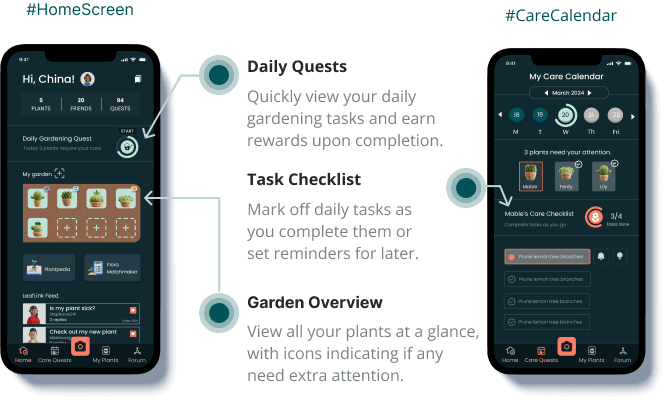
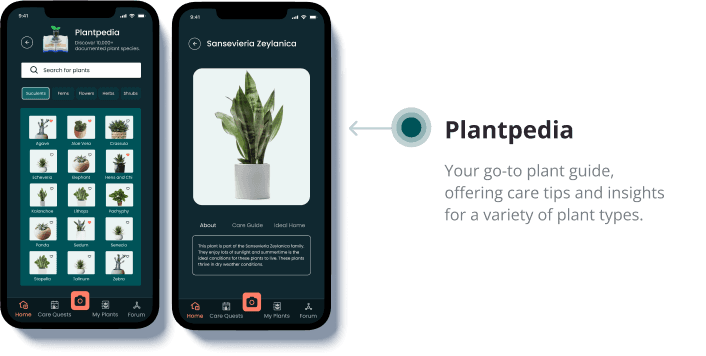
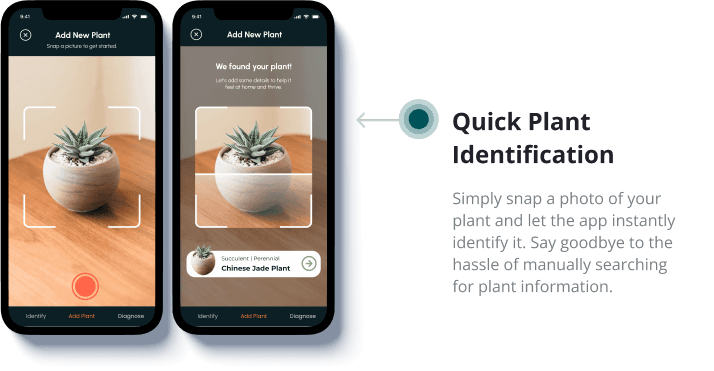
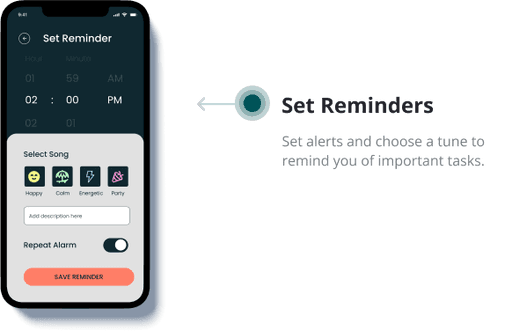
#1 We wanted to make plant care feel simple and fun.
By breaking down tasks by individual plants and giving you a quick garden overview, you can see exactly what needs attention at a glance.

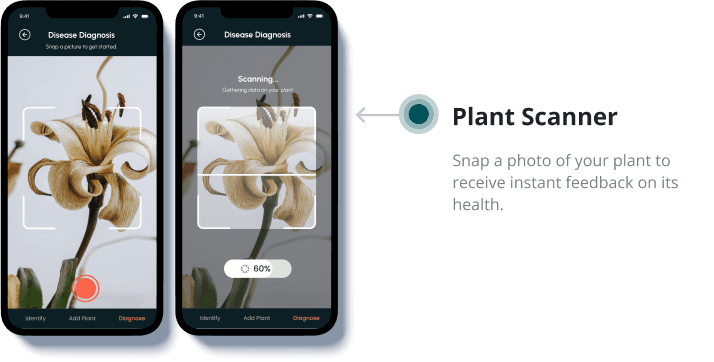
#2 Get accurate care advice for your sick plants or tricky care issues.
We created a diagnostic tool that lets users refine their goals by category, offering a personalized diagnosis and treatment plan.
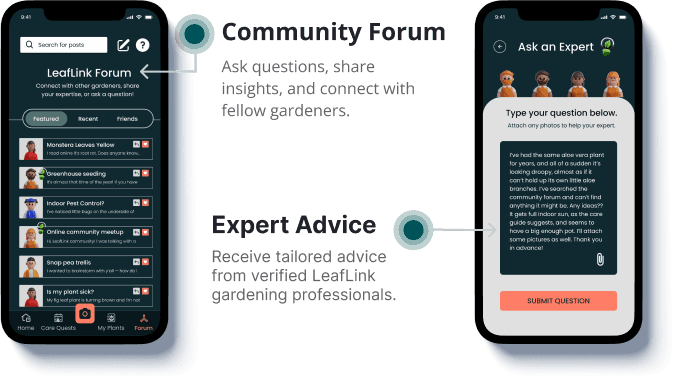
To add reliability, we introduced a community forum where users can connect with verified gardening experts for advice and follow-up questions on their diagnoses.

#3 Connect with fellow gardeners.
We created the LeafLink Gardening Community, a forum for gardeners to share advice, ask questions, and connect with fellow enthusiasts.
Verified Community Experts offer reliable insights, allowing users to ask direct plant care questions for informed guidance
#4 Adding gamifcation to gardening.
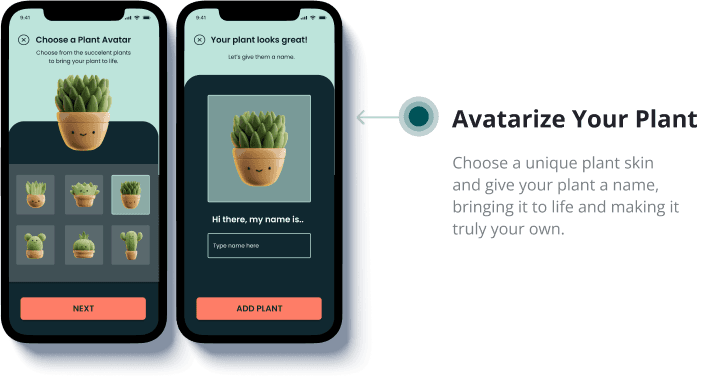
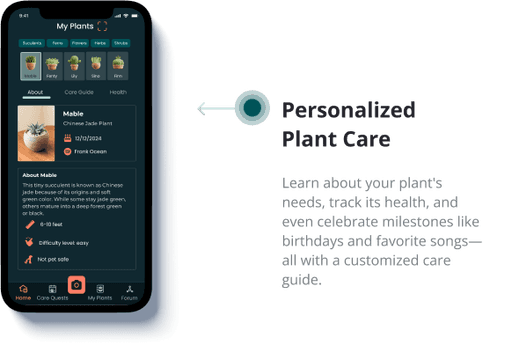
We enhanced the gardening experience by introducing interactive features that bring plants to life. Users can customize their plants with avatars, names, birthdays, and favorite songs.
LEARNINGS
Collaborating with another designer taught me the value of thinking about what we wanted to learn before writing user interview scripts. This helped refine my approach, leading to more focused questions and better insights that shaped the final product.